Specify a dependency filter
You can define a dependency filter for related tables. With a dependency filter, you can filter a table using the values from another table. The tables are linked by keys and foreign keys.
When extracting table A and table B, where table B contains a foreign key to table A, the filter to use for table B is table A. In this case, only the values in table B that have a previously extracted foreign key from table A will be extracted.
Make sure that you do not define circular dependencies between the tables. Circular dependencies between tables are not allowed. Each table must not depend on more than one other table. However, the number of tables that do not depend on any other table is unlimited.
Note that an SQL filter statement defined for a table has a higher priority than the dependency filter. This means, if an SQL filter statement and a dependency filter are defined for a table, the filter statement is executed before the dependency filter.
For this example, define a dependency filter for the EKPO table using the EKKO table as the filter table. Both tables contain the EBELN column that you can use as a foreign key.
Click Add dependency filter on the EKPO table.
Click Use to filter table on the EKKO table. The Add dependency filter dialog opens. The dialog shows a list with the columns for each table.
Select the EBELN column in the EKPO table as the key column for this table. The column is placed on the top of the column list.
Select the EBELN column in the EKKO table as the foreign key column for this table. The column is placed on the top of the column list. The columns are connected with a dashed arrow.
You can specify one or more columns in the same way to link the tables. All columns used for the (foreign key) relation are placed on the top of the column list.
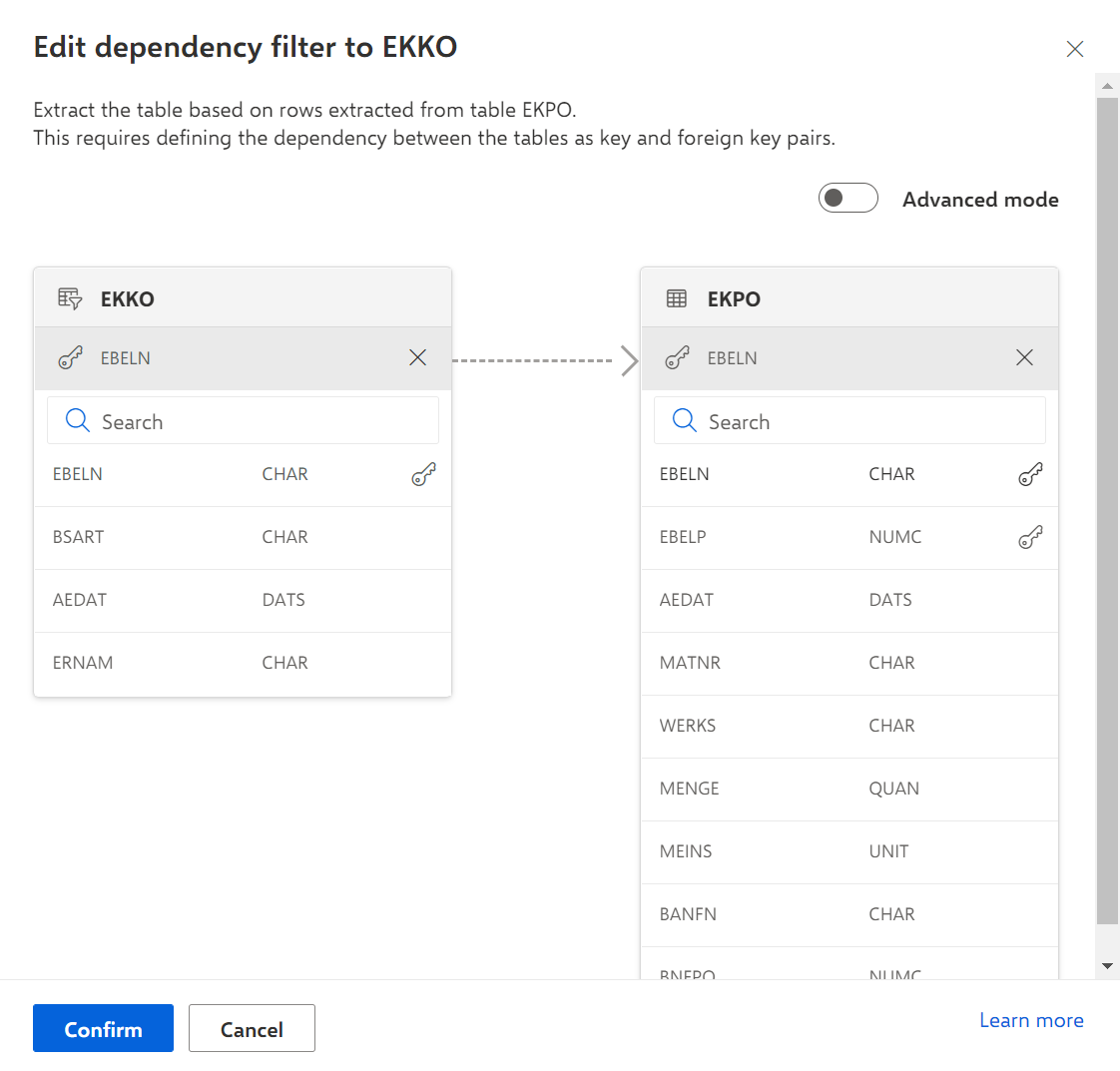
You can use the Advanced mode to define a more complex filter.
Click Confirm.
You have defined a dependency filter. The related tables are connected with a dashed arrow.
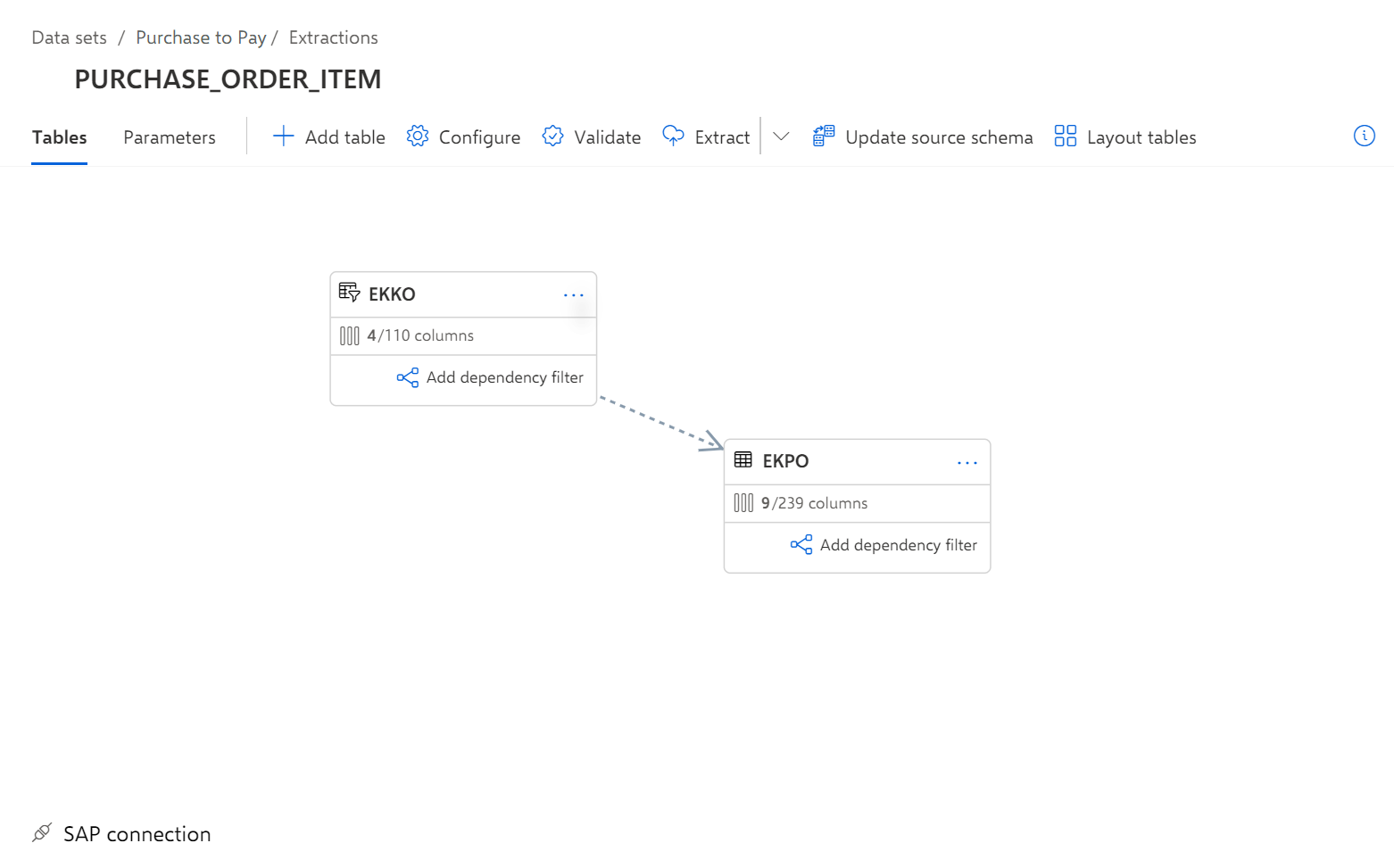
To edit an existing dependency filter, click the corresponding dashed arrow.
To delete the existing dependency filters, click ... in a table and then click Remove relations.