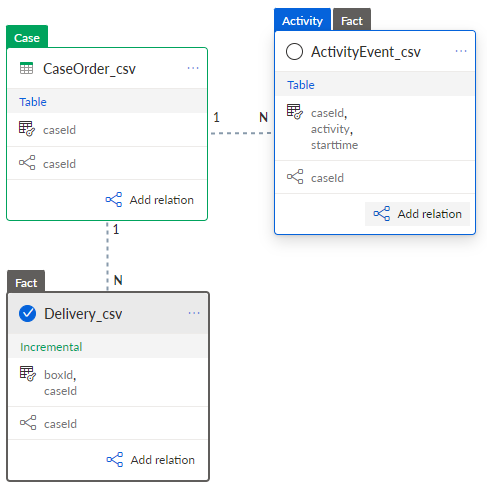
Change the table cardinality
You can change the cardinality of connected tables from N:1 to 1:N or vice versa. This may be necessary if the cardinality was not assigned correctly.
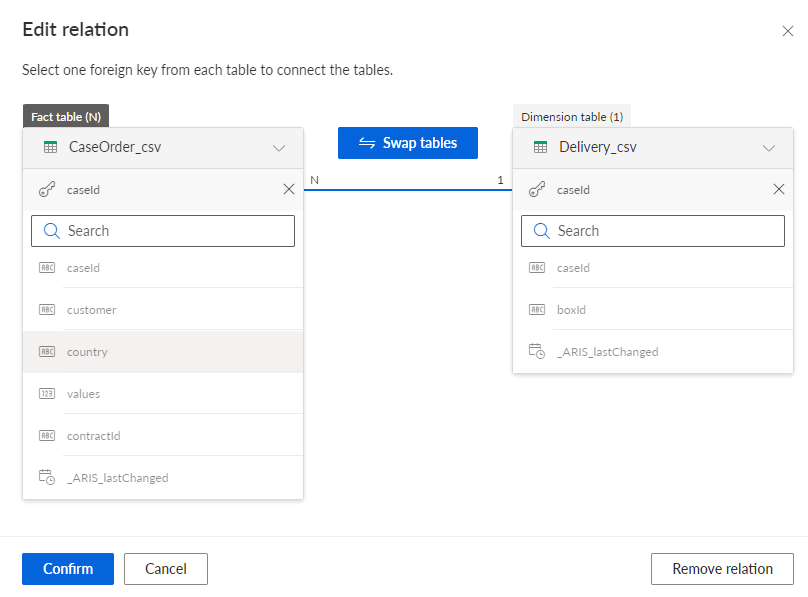
If you connect the CaseOrder_csv table to the Delivery_csv table using the caseId key column, the cardinality is recognized as CaseOrder_csv (N) to Delivery_csv (1). This means that several cases have been assigned to the same box. But in fact, the Delivery_csv table assigns several boxes to each case. The relation is exactly reversed.
Prerequisite
You have connected two tables.
Click the connection between two tables. The Edit relation dialog opens.
Click Swap tables to change the cardinality. The tables change places in the dialog.
Example
The tables have changed sides and the cardinality has also changed. The Delivery_csv table is now labeled as a Fact table (N).
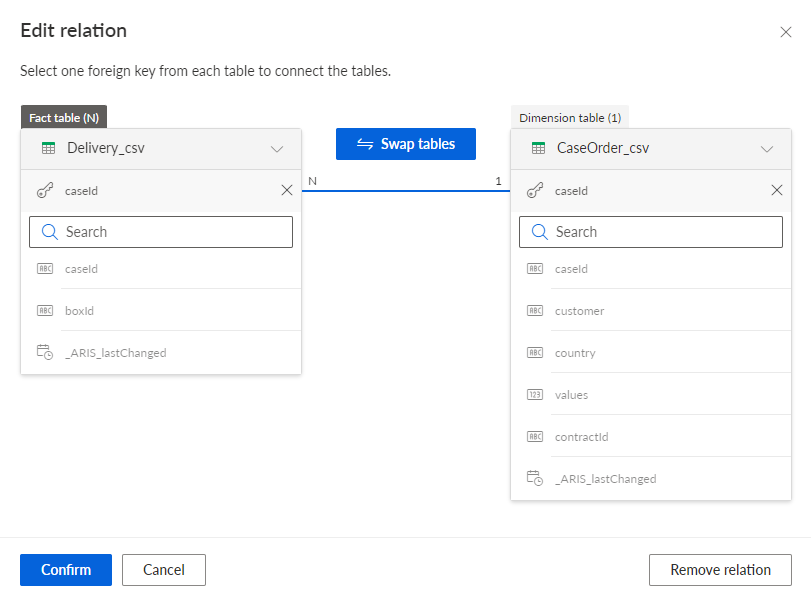
Click Confirm.
The cardinality of the table relation has changed.
Example
The cardinality has changed and the Delivery_csv table is labeled as the Fact table.
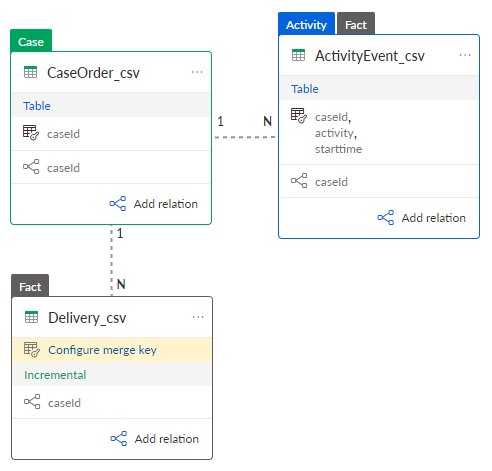
Specify a merge key for the Fact table. A Fact table that is updatable (of the Incremental table type) requires a merge key for later updates.
You have changed the cardinality and specified merge keys for the Fact table.
Example